
Customer guide
How to order & pay on Solvo
What Solvo is
Solvo is a home-services marketplace in Indonesia: cleaning, AC service, plumbing, electrical and pool care. Customers (locals and expats) order in the Solvo app for Android and iOS, masters bid on the job, and the customer’s payment is held in escrow until the customer confirms the work is done. Ordering and payment happen inside the app; this page shows every step.
Ordering step by step
Screenshots from the Solvo app (English version, test environment).
Step 1
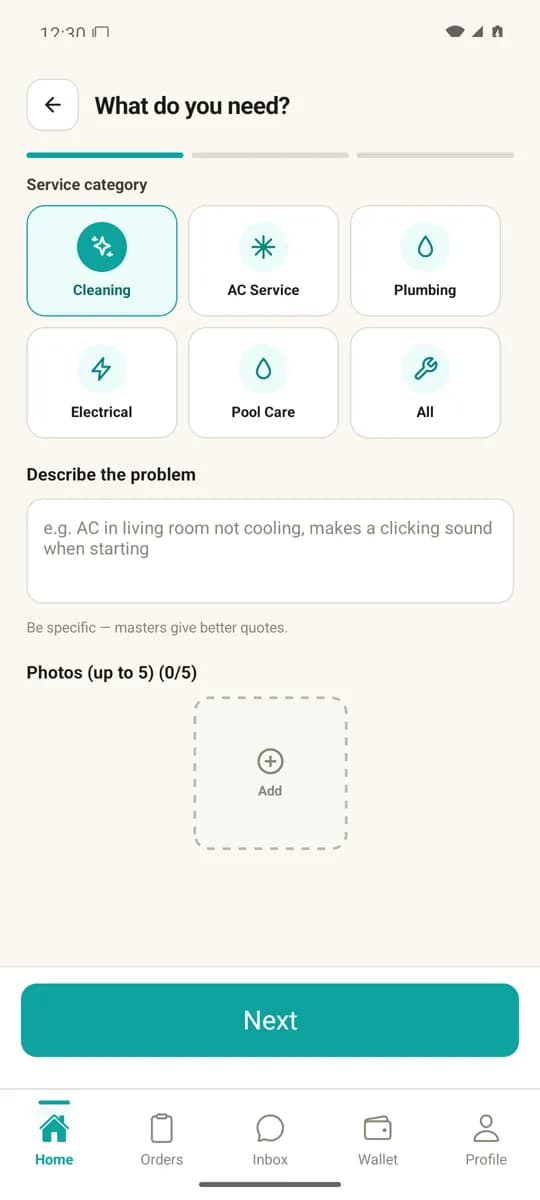
Create an order
Pick a service category, describe the problem and add photos if useful.
Step 2
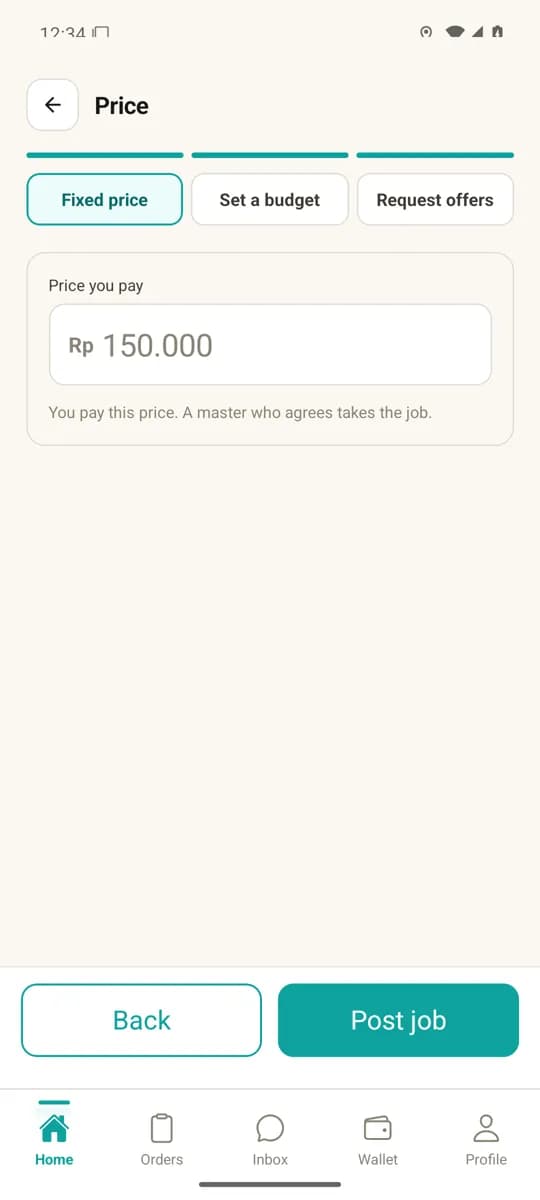
Set the price
Set a fixed price, a budget (range), or ask masters for offers. Prices are in Indonesian Rupiah (IDR).
Step 3
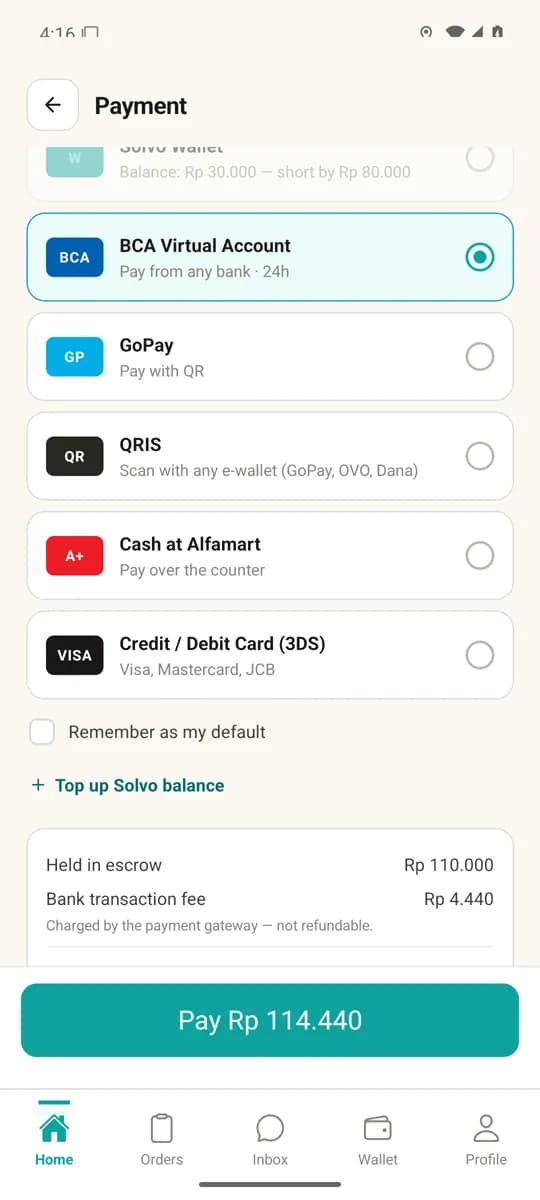
Checkout: choose a payment method
Choose how to pay. Before paying you see the breakdown: the amount held in escrow, the bank transaction fee, and the total.
Step 4
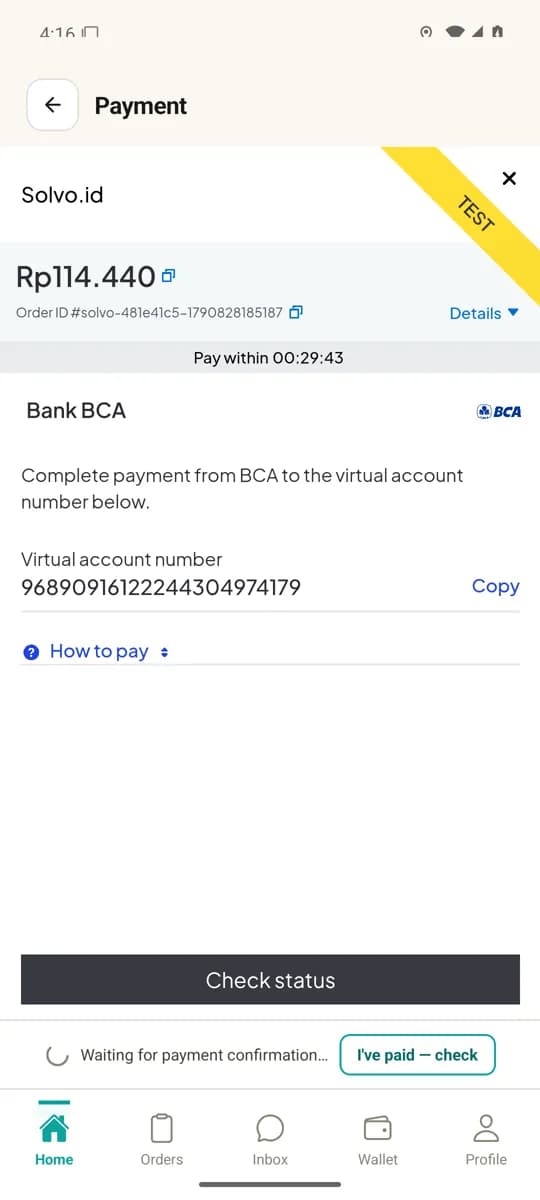
Pay on the payment gateway page
The payment gateway’s page opens inside the app and shows the virtual account number (or a QR code, e-wallet page or card form). Once the payment is received, the order status updates automatically.
Step 5
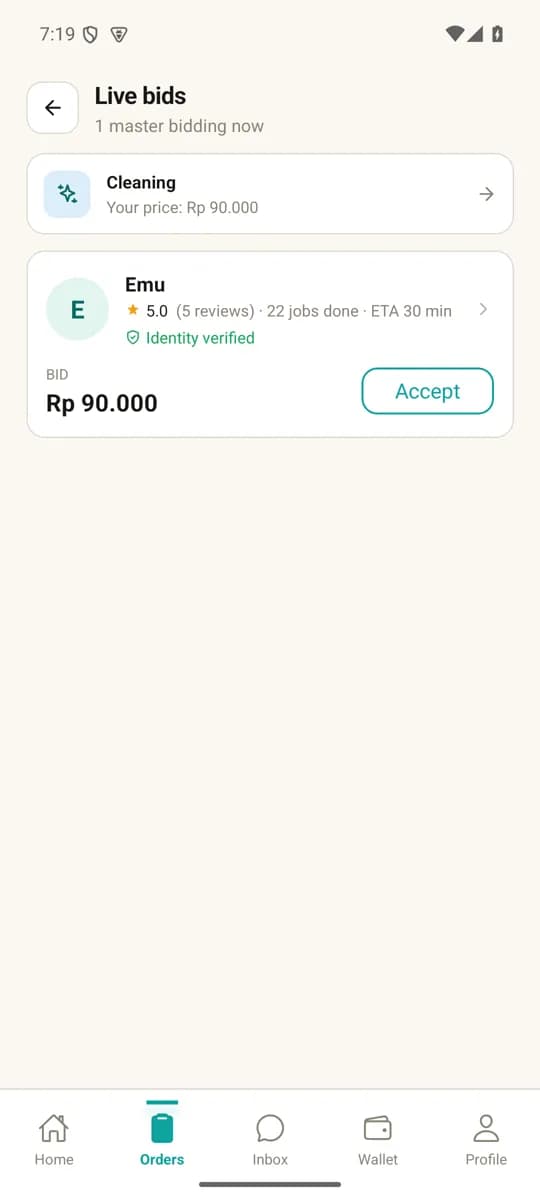
Masters bid, you choose
Masters send offers. On each offer you see whether the master’s identity is verified, their rating, jobs done and price, then accept one offer.
Step 6
Job done, you confirm, the master is paid
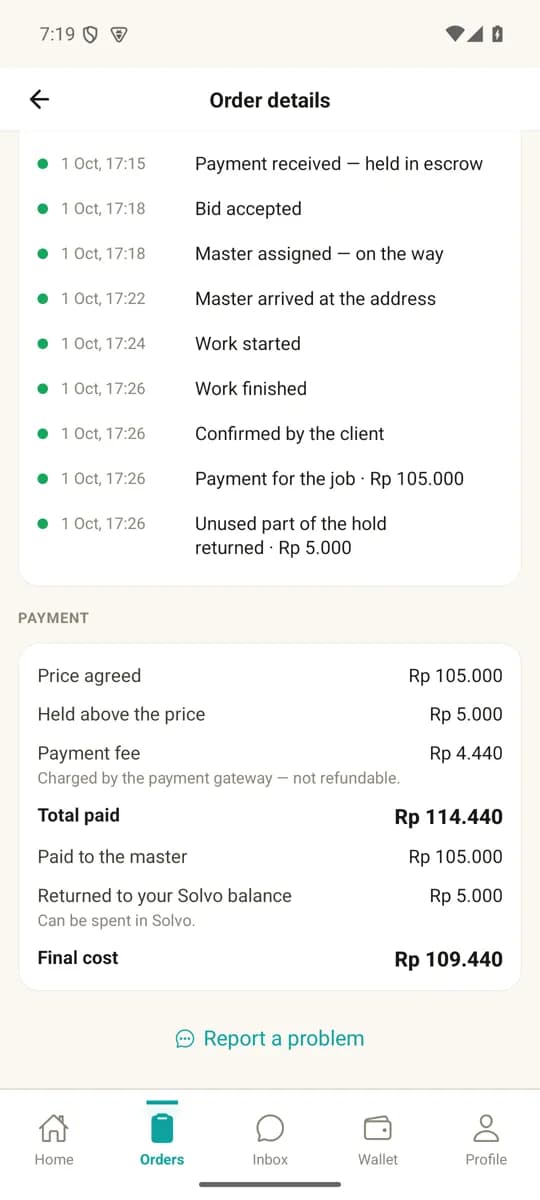
When the work is finished you confirm it in the app. Only then is the money released to the master; any amount held above the price goes back to your Solvo balance.
Payment methods and fees
Methods offered on the in-app checkout screen:
- BCA virtual account (payable from any bank)
- QRIS — scan with any e-wallet or mobile banking app (GoPay, OVO, DANA and others)
- GoPay
- Cash at Alfamart stores
- Credit / debit card: Visa, Mastercard, JCB (with 3-D Secure)
- Solvo balance (when sufficient)
- All amounts are in Indonesian Rupiah (IDR).
- The customer pays the job price plus the bank / payment-gateway transaction fee. The fee is shown before you pay — in the screenshot above: Rp 4,440 for a virtual account.
- The money is held in escrow until you confirm the job is done; the master cannot touch it before that.
- Solvo’s commission of 10% (verified master) or 15% (unverified master) is deducted from the master’s payout, not charged to the customer.
- Payments are processed by a Bank Indonesia–licensed payment gateway.
Price ranges
- Cleaning
- Rp 75,000 – Rp 300,000
- AC repair
- Rp 150,000 – Rp 800,000
- Plumbing
- Rp 120,000 – Rp 1,500,000
- Electrical
- Rp 130,000 – Rp 1,200,000
- Pool
- Rp 200,000 – Rp 600,000
Indicative price ranges per category. Full details on Services.
Cancellation & refunds
If an order is cancelled or something goes wrong with the job, the escrowed money is refunded under these rules: Refund Policy · Dispute Rules
Get the app
The Solvo app for Android and iOS is currently in closed testing and not yet publicly listed on the App Store or Google Play. For a test account, email support@solvo.id.
Operator
- Legal entity
- PT Choza Balibu Family
- Business Identification Number (NIB)
- 2506240060092
- Address
- Jalan Sugriwa No 60, Banjar Padangtegal Kelod, Ubud, Kabupaten Gianyar, Bali, Indonesia
- support@solvo.id
- Phone
- +62 813-2849-869